Checkout Transition
Currently, clicking "Buy Now" sends users directly to a data-entry form. Adding a brief "What's Next" summary before this screen can reduce anxiety and reassure the user before they provide sensitive info.

Three parts: a landing page audit with an A/B test, a funnel review with three concrete improvements, and two ad creatives designed for the same flow.
My goal throughout was simple. Find the friction that quietly costs conversions and propose changes I'd actually run, with a clear hypothesis and metric behind each one.
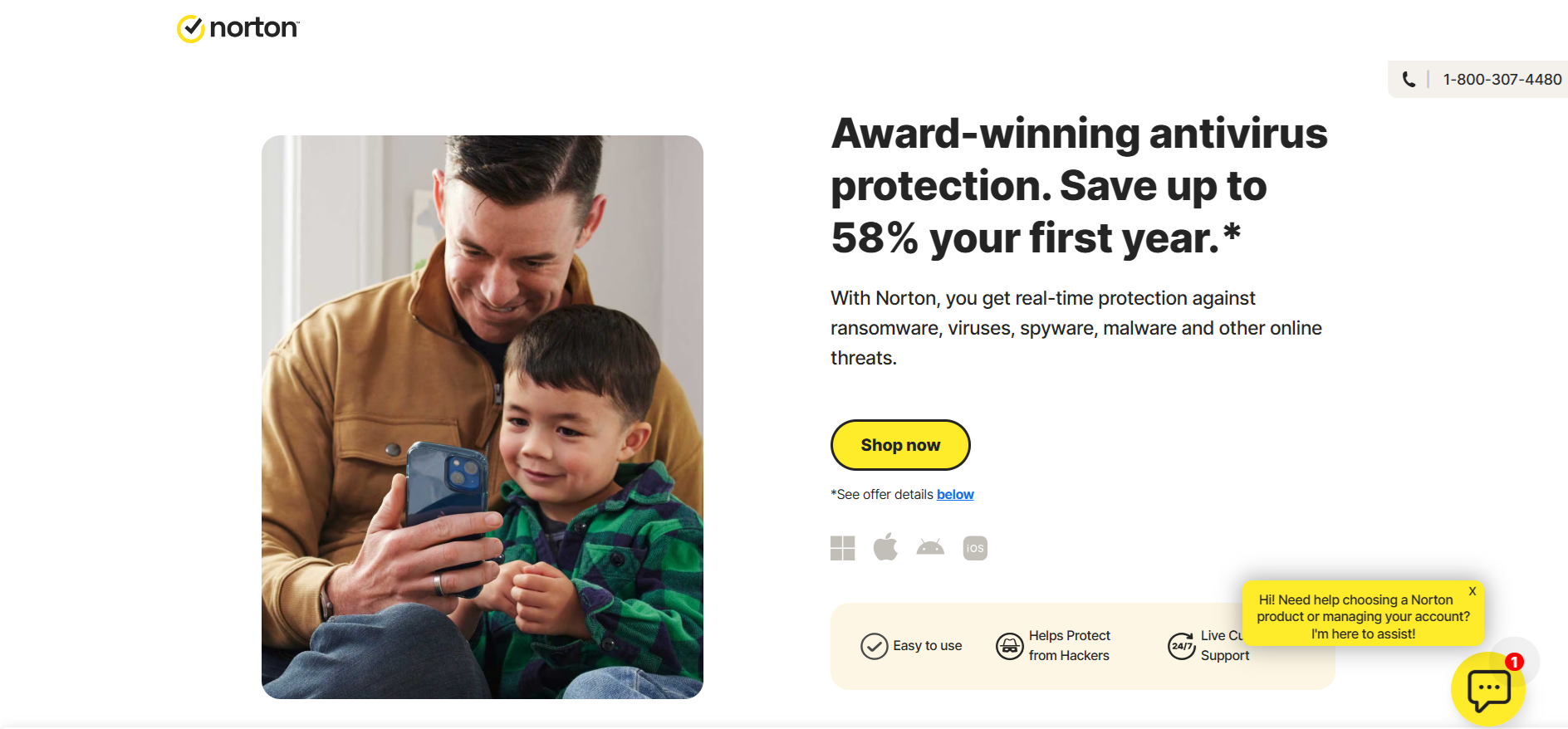
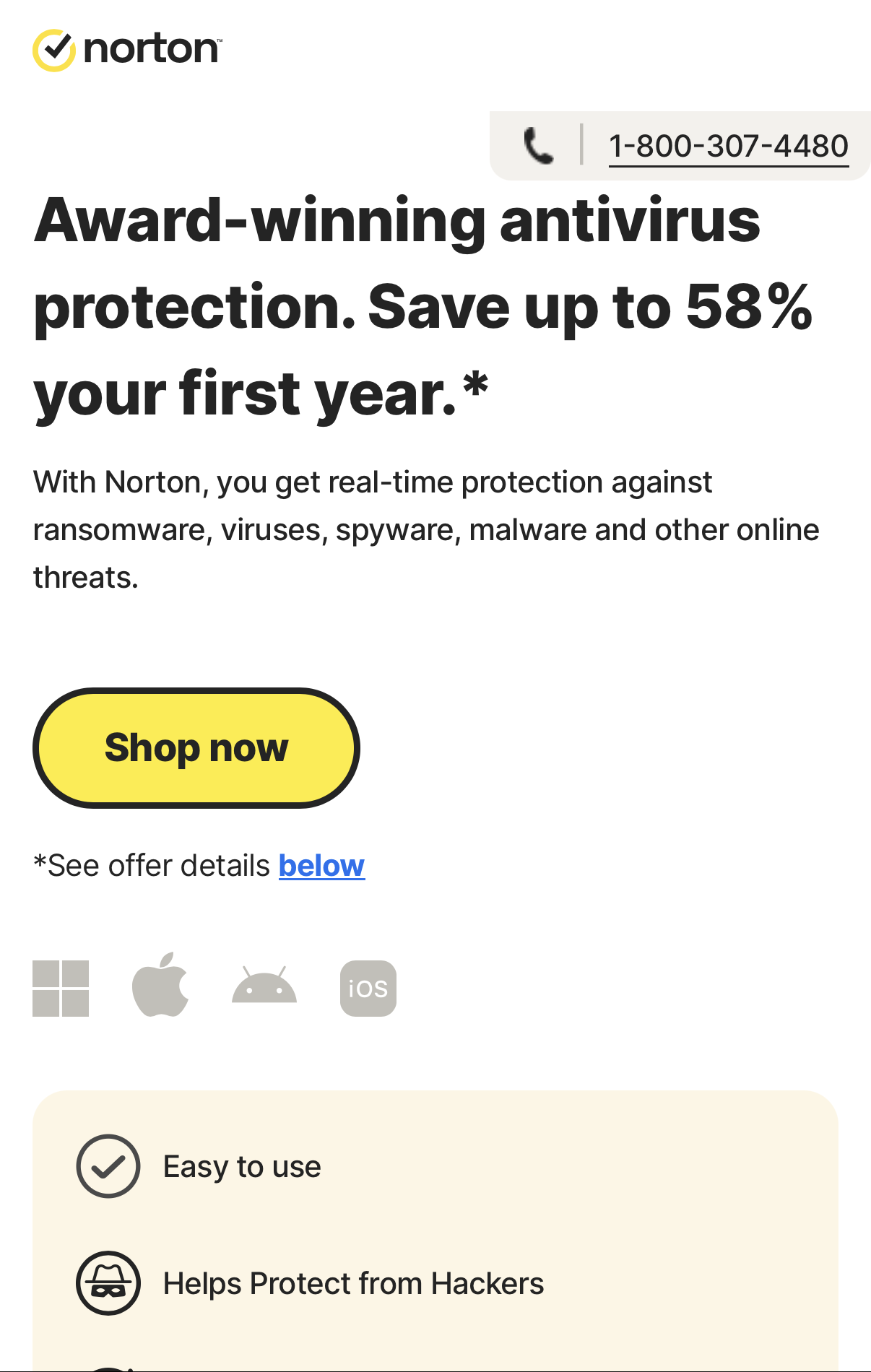
I review the landing page section by section — from header to footer. I analyze the messaging, design elements (images, logos, graphics), and CTAs. I also test every button to ensure they function correctly and lead to the right destination.
The page effectively uses awards, guarantees, and money-back policies to build credibility.
Focus the hero headline on the user's pain point rather than just product features to create immediate resonance.
Remove negative promo alerts from the landing page and address them only at the final checkout stage.
Distribute purchase buttons every 2-3 sections to ensure a CTA is always within the mobile "thumb zone" without scrolling back up.
Replacing the negative promo banner with a countdown timer and a pain-point-driven message will increase conversions by capturing attention and creating urgency immediately.
Testing a more direct and urgent Call-to-Action on the banner, such as "Secure My Discount" or "Get Protected Now".
Refining the banner copy to focus more aggressively on the user's primary pain point, for example: "Your identity is at risk. Secure it before time runs out".
I would prioritize testing the CTA button text first. Since my primary objective is to drive immediate action and increase click volume, the button is the most critical leverage point. This test will provide immediate data on which psychological trigger — Credibility (trust in the brand) or Loss Aversion (fear of remaining vulnerable) — is more effective at moving users through the funnel.
Reviewing the current funnel from Ad Click to Product Tutorial, I have identified the following bottlenecks and proposed solutions:
Currently, clicking "Buy Now" sends users directly to a data-entry form. Adding a brief "What's Next" summary before this screen can reduce anxiety and reassure the user before they provide sensitive info.
The checkout asks for credit card and phone details immediately. I propose testing a multi-step form that starts with "soft" details (like name/email) to build momentum before asking for payment information.
After paying, users land on a generic "Thank You" screen and are then expected to install software, verify their email, and activate devices on their own. This is where a large portion of customers go silent. They paid, but never actually started using the product, which hurts retention, renewals, and word of mouth. I would replace the static confirmation with the first step of a guided onboarding flow ("Account created → Download → Activate") and trigger an immediate activation email so users have a clear next action both on screen and in their inbox.
Hover the funnel diagram or a card to see the link.
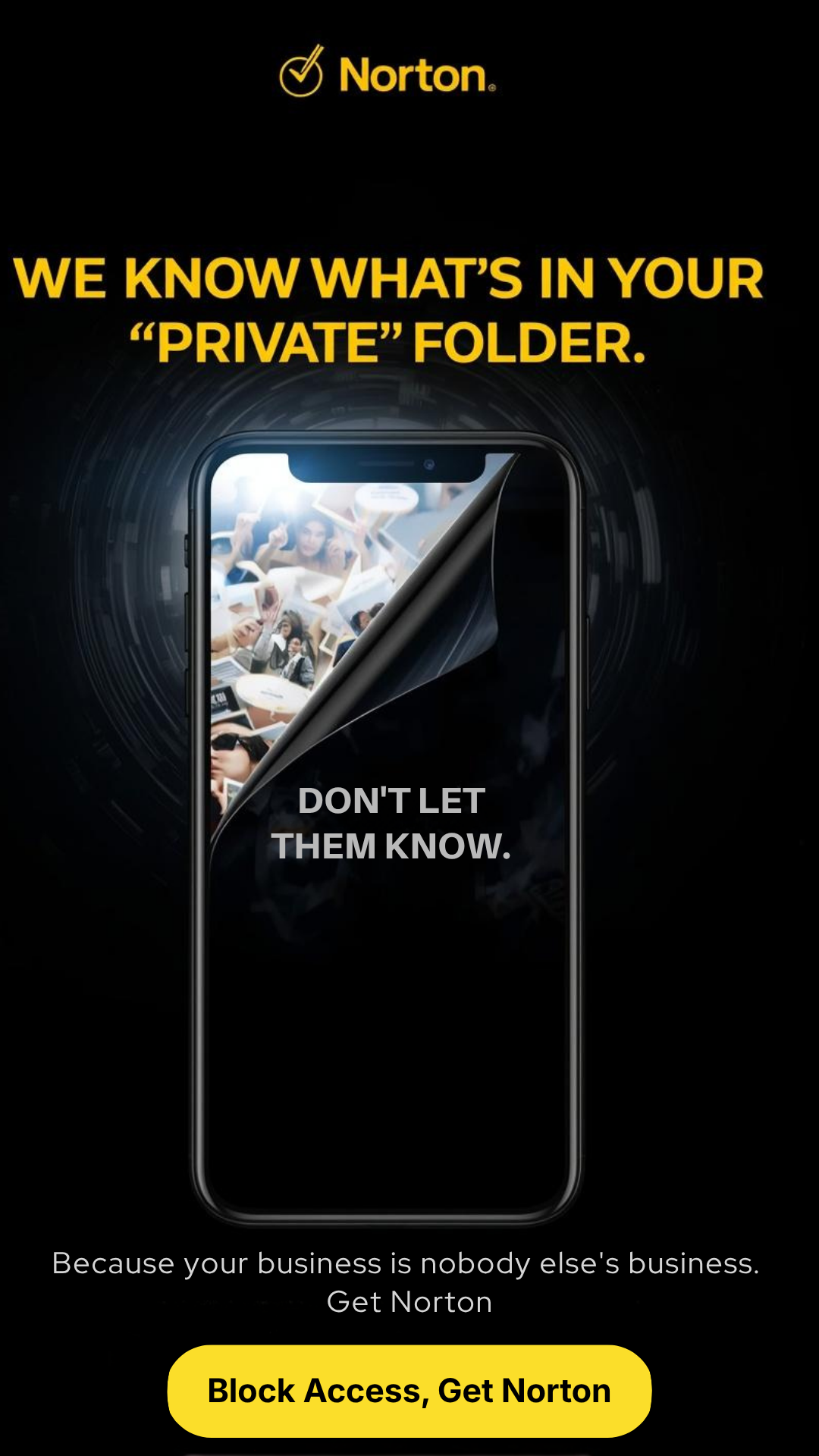
Two conversion-focused ad creatives designed to drive users to the landing page, shown in their native context.
Placed in editorial context where users are already consuming threat-related content, maximizing relevance and click intent.
Full-screen vertical format optimized for Stories. Pain-point hook in the first frame, single dominant CTA.